The Agent Handoff Map
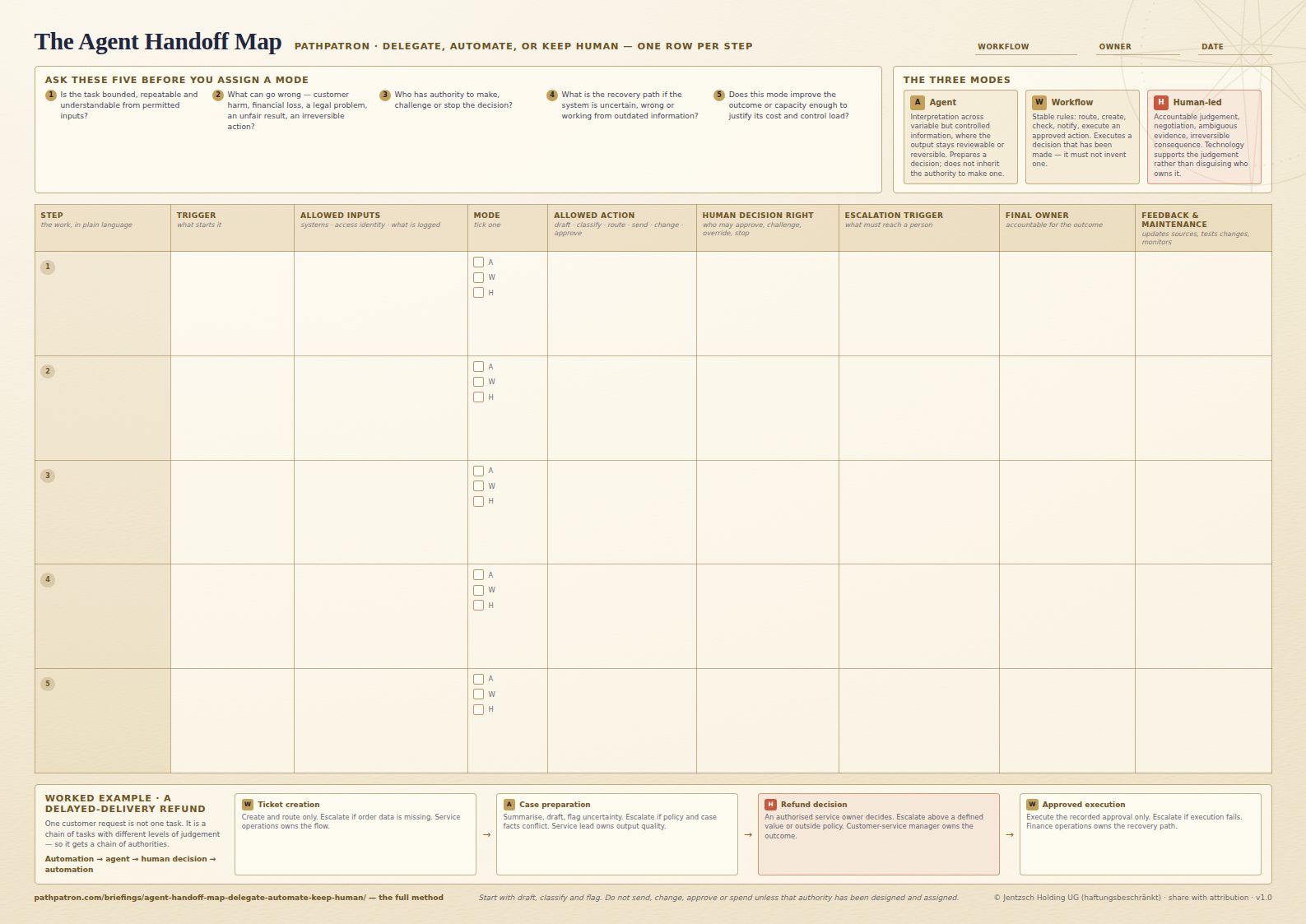
The question is not whether an agent is smart enough. It is what the smallest safe authority for this step is — and that has to be decided step by step, not for a project. The Map gives a workflow one row per step and eight columns per row, so the mode, the allowed action, the escalation trigger and the named owner are all on one page before a prototype quietly becomes normal work.
- Format
- PDF · A3 landscape · 1 page
- Price
- Free — no sign-up, no email wall
- Use
- Share and print freely, with attribution
- Version
- v1.0
What is on the sheet
Eight fields, recorded for every step.
Deliberately lightweight — enough to make a workflow discussable by the people who use it, lead it, and carry the consequences. The sheet carries the five questions to ask before assigning a mode, and a worked refund example running automation, agent, human decision, automation.
01
Trigger
What starts this step.
02
Allowed inputs
Which systems, documents and data may be used, under which access identity, and what must be logged.
03
Operating mode
Agent, workflow automation, or human-led. One per step, ticked deliberately.
04
Allowed action
What the system may actually do: draft, classify, route, send, change or approve.
05
Human decision right
Who may approve, challenge, override or stop it.
06
Escalation trigger
What uncertainty, impact or exception must reach a person.
07
Final owner
Who is accountable for the outcome.
08
Feedback and maintenance owner
Who updates sources, tests changes and monitors performance after go-live.
The Map assigns authority one step at a time. Two of the leader's four maps decide what it is assigning: the Work Map names the steps in the first place, and the Decision-Rights Map names the people who hold the rights this sheet records.