PathPatron Use-Case Canvas series — 4 of 7
Maya now has a shared, concise view of the problem: status chasing is the pain, complete evidence is the need, live progress is the want, and routing the case once is the opportunity. That is enough to focus the next step. It is not enough to decide what to automate. Article 3 established this evidence; Article 4 follows the same case into the work itself.
In this article, Maya and the people who actually carry a supplier-onboarding case map the current route from request to outcome. They are not designing a future solution. They are making the hand-offs, waits, checks and rework visible first.
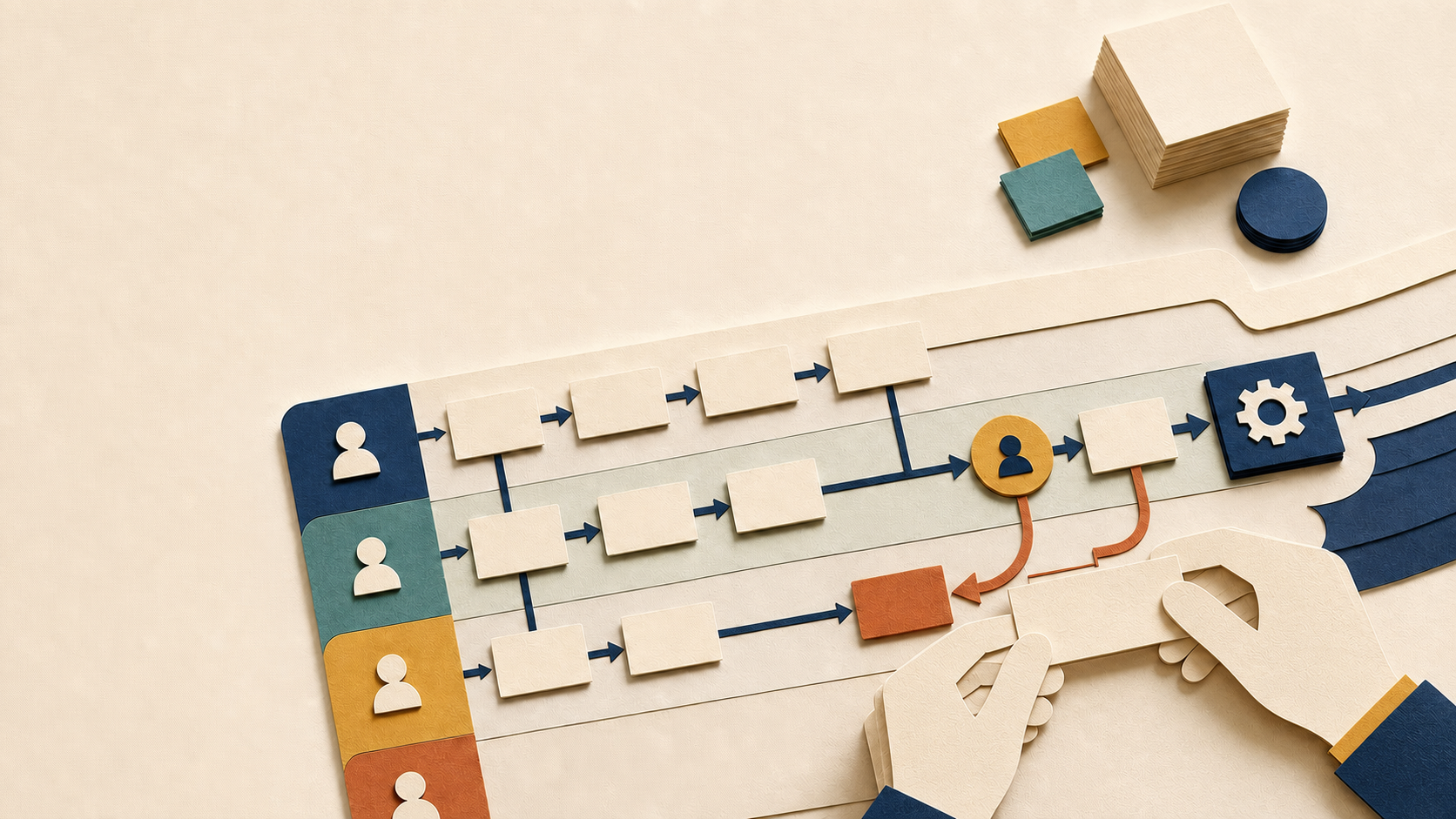
Continue the case: map what happens, not what the policy says
The work begins where Article 3 ended. Maya brings the completed Persona, Stakeholders and Pain Point / Opportunity sections forward unchanged. The selected case is a recent supplier request: Procurement needs a clear status, Legal needs complete contract evidence, Finance needs verified bank data, and the business owner needs a reliable delivery date.
The question for this session is deliberately narrow: how did this one real request actually move through the organisation?
Maya asks the case owner to bring the request, timestamps, relevant messages or tickets, the systems used and any exception or escalation. She invites the people who carried the hand-offs — normally three to six people — rather than a broad steering group. Each note must make one claim that someone can trace to the case. If no source exists, the note is an information gap, not a fact.
Before the session, Maya opens a small validation and critical-points list beside the working area. Whenever the group cannot verify a detail, it records whether the item is a Hypothesis, an Information gap, or a potential critical point — together with the named person who can confirm it. The list stays open throughout the activity; it is not an afterthought added at the end.
Build the real route in the working area
Before Maya sets up the session, the team needs to understand what it is making. It is not drawing a policy-perfect flow or a solution design. It is reconstructing the real route that one supplier request took through the organisation.
The team uses two surfaces because they answer different questions. The current-state working area is large and deliberately blank. It is where the people closest to the work add one sticky note for every real step: owner → action → output or hand-off. They place the notes in the order the work happened, then branch or loop them wherever partial returns, waits, exceptions or parallel work occur. The direction of a connection is a claim: it says who hands what to whom next.
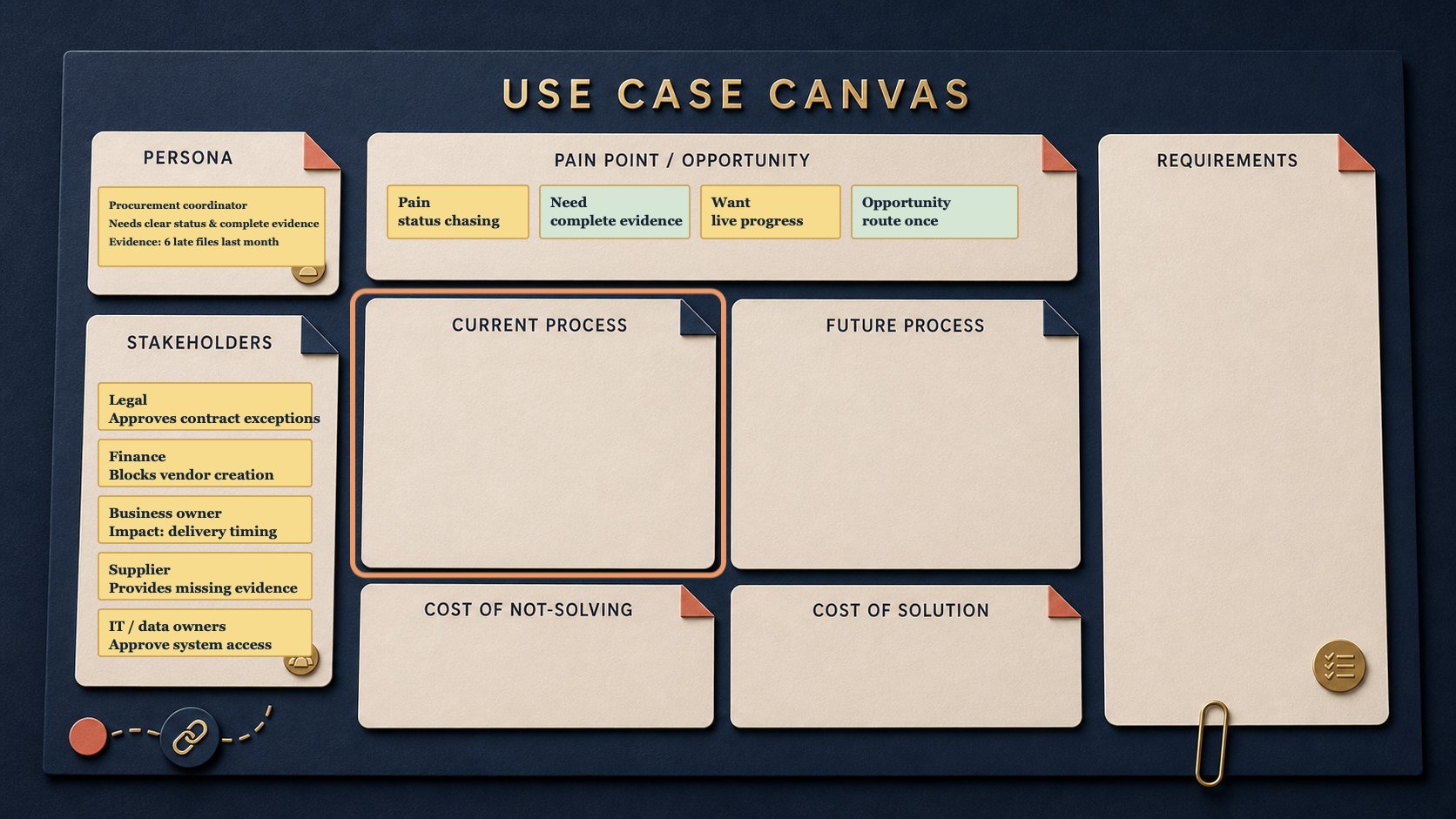
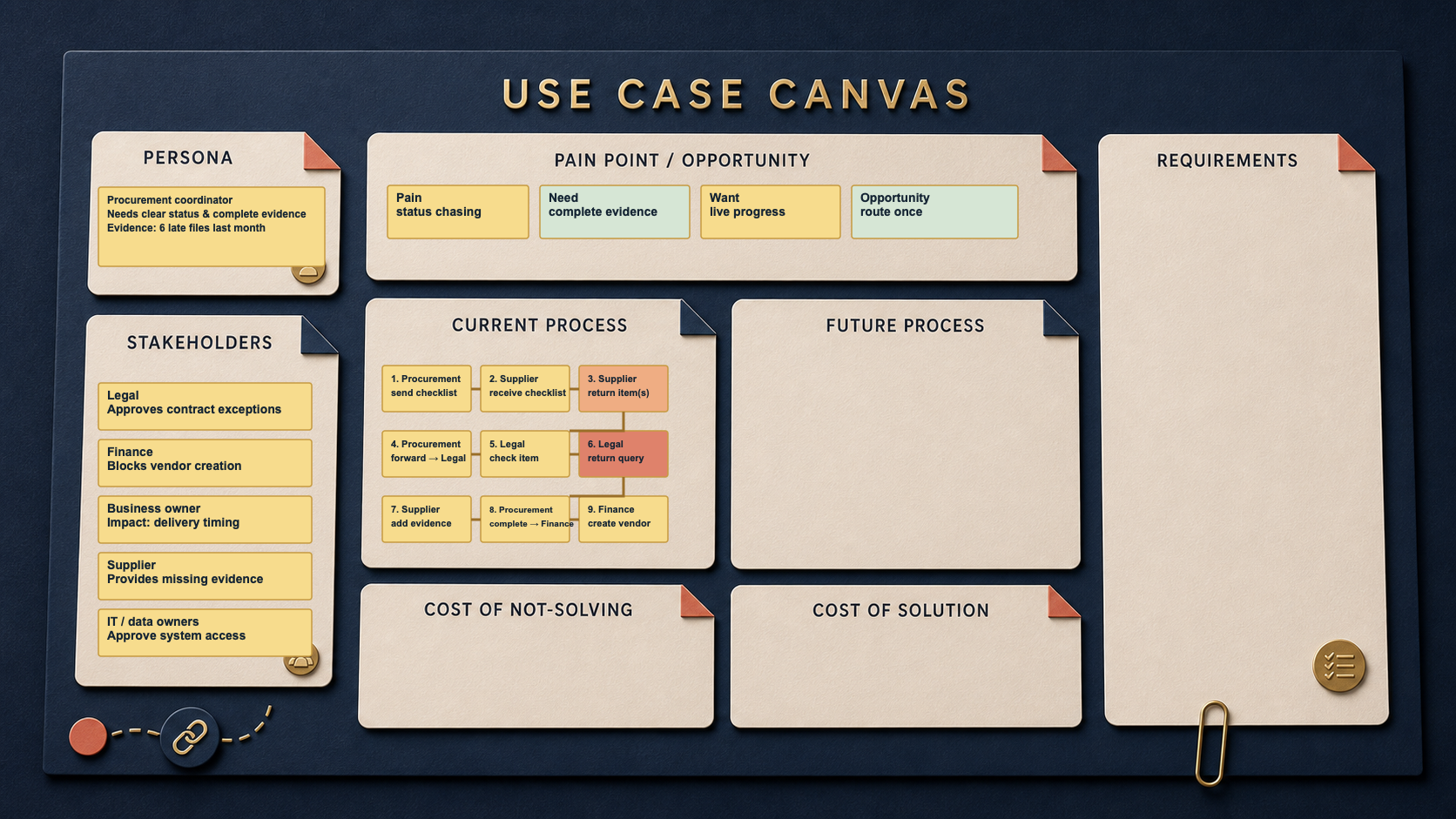
The Current Process field on the Canvas is the compact summary of that map. It contains only the numbered, connected steps needed to show who is involved, what happens next and where the material delay or failure sits. It does not redraw every partial email, timestamp, side route or disagreement.
In Maya’s supplier case, Procurement sends the checklist to the supplier. The supplier may return one document early and the rest over several emails. Procurement can route that document to Legal while waiting for the remaining items. Legal may send a query back before Finance can continue. The working map must show those branches and returns; the Canvas will later compress them into concise, validated steps.
Before the activity: one real case, one working surface
This works in either setting. Online, Maya opens the organisation’s approved whiteboard and gives each participant a named area to add evidence from the case before discussion starts. In a meeting room, she prints the same route and breakpoint prompts, puts them beside the Canvas and uses sticky notes. The medium changes; the discipline does not: map the work people actually did, not the policy-perfect version.
The activity board is the detailed working record. The Canvas remains the concise summary of what the group validates.
The 45-minute current-state mapping activity
| Time | Maya’s move | Working output |
|---|---|---|
| 0–5 min | Reconnect to the Article 3 Pain / Need / Want / Opportunity summary and name one recent supplier request. | A bounded case and its trigger. |
| 5–12 min | Let participants add evidence silently: messages, timestamps, system steps and missing information. | Initial route notes, labelled Evidence, Hypothesis or Information gap. |
| 12–25 min | Replay the case step by step. Each note names the owner, action and next hand-off. | The actual current-state route, not the policy flow. |
| 25–35 min | Add branches for partial returns and loops; place every unverified detail or potential critical point on the validation list. | A visible breakpoint and named validation owners. |
| 35–42 min | Confirm the route with the people who did the work. | Corrected notes; remaining hypotheses and gaps stay assigned. |
| 42–45 min | Agree the concise Current Process step sequence for the Canvas and the next owner. | Numbered Canvas steps, open questions and a hand-off to Article 5. |
Maya starts with the supplier request, not a generic process name. Procurement receives the email, records it in a spreadsheet and asks for missing bank details. Legal finds a required clause late. The supplier sends information to a different inbox. Finance cannot validate it until the next day. The business owner asks for a date that nobody can safely promise.
The group records the route as it happened. It does not resolve the problem yet. It makes the point where work loops, waits or loses context visible.
Use AI to prepare, capture and compress — never to decide
Maya uses only an organisation-approved AI tool and only approved, anonymised material.
Before: AI can turn the already-approved Article 3 notes into a blank route and question pack: actor, system, input, output, evidence and uncertainty. It must label every suggestion as Evidence, Hypothesis or Information gap.
Prompt template: “Using only the approved, anonymised notes below, prepare a blank current-state mapping board and a validation-question list. Do not invent steps, owners, systems or conclusions. For every item, label it Evidence, Hypothesis or Information gap.”
During: AI may transcribe agreed wording, cluster duplicate notes and preserve the sequence. It does not infer the route, resolve disagreement or name the breakpoint for the group.
Prompt template: “Capture only the steps and hand-offs stated by participants. For each note, record owner → action → output/next recipient. Keep branches and returns separate. Flag unsourced wording for Maya’s validation list; do not fill gaps or recommend a solution.”
After: AI can propose short plain-language summaries of the validated route for the Current Process Canvas field, plus a list of unanswered questions. Maya and the relevant stakeholders approve, change or reject every summary.
Prompt template: “From these validated working-board notes only, draft numbered Canvas steps in the form ‘Actor: concise action’. Keep one step per note. Mark long waits as candidate orange and critical breakpoints as candidate red, with the supporting evidence beside each suggestion. List all remaining Hypotheses and Information gaps separately. Do not decide the process, priority or solution.”
AI reduces administrative effort; people remain accountable for what happened, what is missing and what may change.
Activity visual: map the current-state work
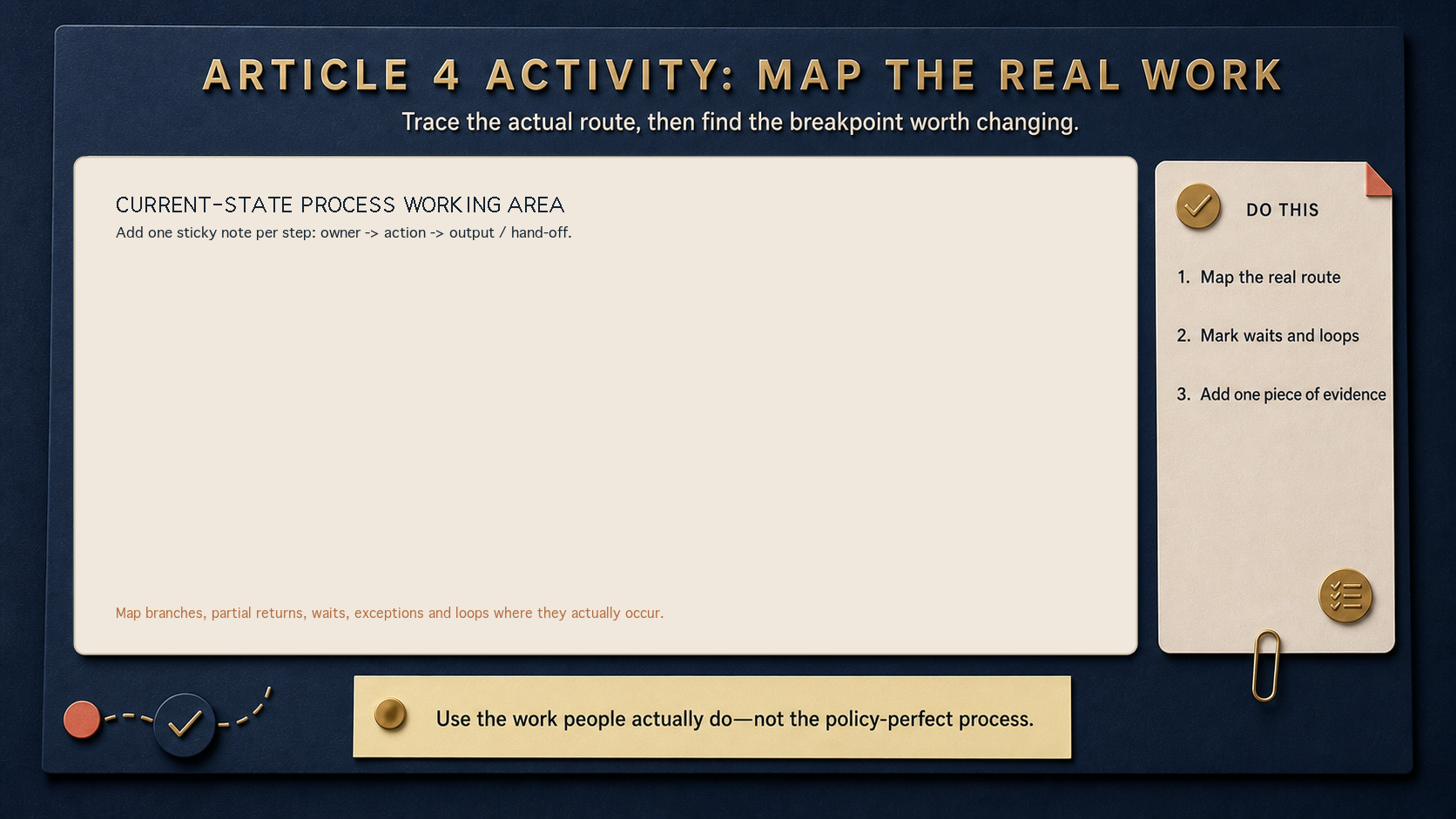
Use this as the large shared working area in Mural, Miro or a meeting room. Put the fuller detail here: sources, timestamps, owners, disputed wording and questions. Mark a breakpoint wherever a hand-off loses context, waits without an owner, or sends work back for rework. Put an unverified or critical item on Maya’s ongoing validation and critical-points list, with a named owner, rather than silently turning it into a fact.
The activity is complete when the group can tell the story of one case from request to outcome — including the loop — and can point to the evidence behind the critical breakpoint.
Update the Canvas: concise steps, not the whole map
The detailed route stays on the activity board. Maya adds a concise, validated sequence to Current Process on the Canvas. Every square sticky note is one numbered step, showing the owner and the action. She connects the notes in order, across multiple rows.
For this supplier-onboarding case, the summary reads:
- Procurement: send checklist
- Supplier: receive checklist
- Supplier: return item(s)
- Procurement: forward item → Legal
- Legal: check item
- Legal: return query
- Supplier: add evidence
- Procurement: complete → Finance
- Finance: create vendor
The normal notes are yellow. Maya changes a note to orange when a wait is materially long and red when it exposes a critical breakpoint. The Canvas therefore makes the responsibility, sequence and critical friction visible without trying to reproduce every branch of the working map. It is not a future-state design or a cost calculation. It is the compact, shared description of the current work that Article 5 will use to make the cost of leaving the breakpoint in place visible.
What leaves the session
Maya leaves with four distinct things:
- The detailed activity board: route, sources, timestamps, exceptions, open questions and draft wording.
- The Canvas: a concise, validated sequence of Current Process steps and hand-offs.
- Maya’s ongoing validation and critical-points list: every hypothesis, information gap or unverified critical point has a named owner.
- A next owner: responsible for taking the validated breakpoint into Article 5’s cost-of-not-solving activity.
The Canvas does not replace the working record. It preserves the decision-relevant summary so the next conversation starts from evidence rather than recollection.
Next: make the cost of not solving visible
Maya can now see where the work slows down and loops. Article 5: The Cost of Not Solving asks what that breakpoint costs in time, rework, delay, risk and missed value — with evidence and assumptions kept visible.
Continue the PathPatron Use-Case Canvas
- 1/7: The Monday-Morning Supplier Problem
- 2/7: The Supplier Case Has More Than One Owner
- 3/7: From Pain Point to a Real Use Case: Needs, Wants and Opportunities
- 4/7: Map the Work Before You Automate It — you are here.
- 5/7: The Cost of Not Solving: Making Process Pain Visible
- 6/7: From Current State to a Credible Future State: Cost, Control & Change
- 7/7: Requirements Engineering for AI-Enabled Work: Turn Your Use-Case Canvas into a Delivery Conversation